
App operating costs: a practical checklist beyond development
Separate app development, maintenance and third-party charges. Review hosting, storage, SMS and AI usage, billing assumptions, alerts and operating ownership.
Manage the operating budget separately from the development estimate. Distinguish implementation work, periodic renewals and usage-based services. This checklist helps you document assumptions and responsibilities; it is not a price chart assigning a monthly bill to a particular number of users.
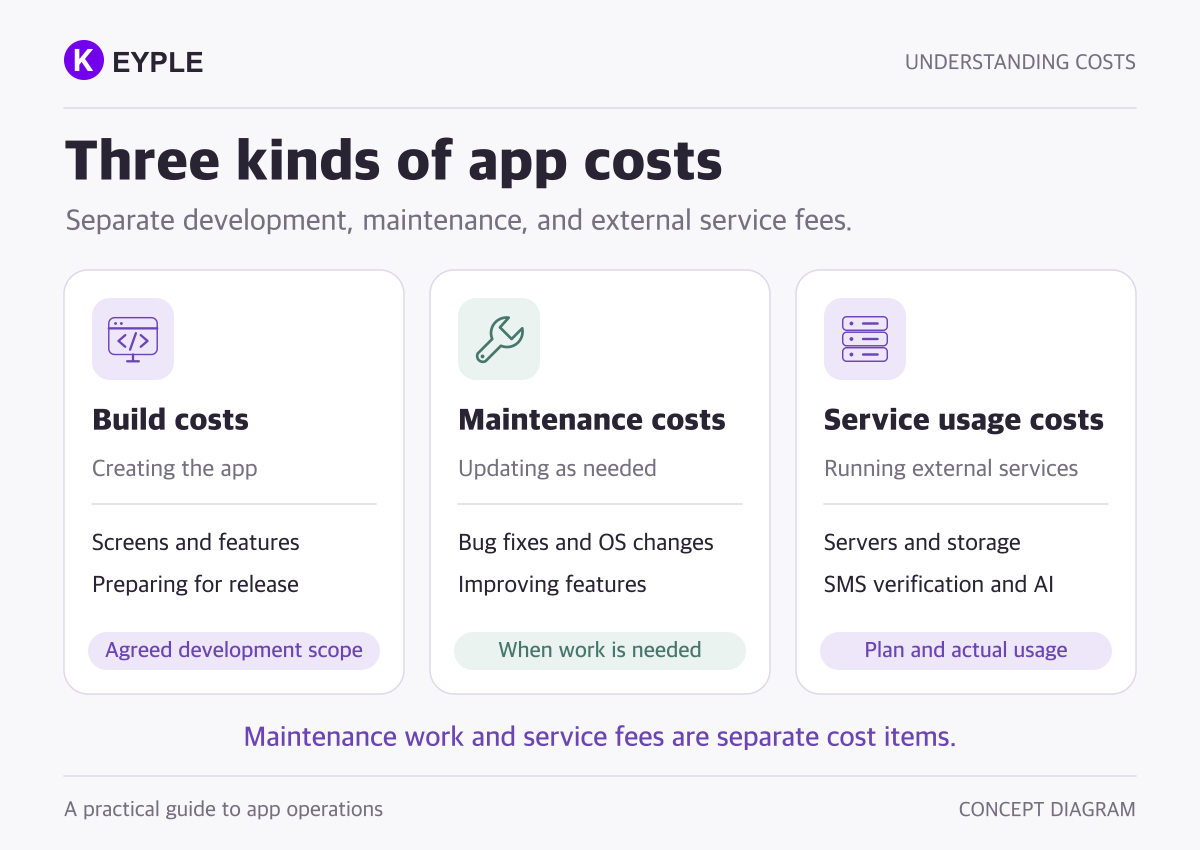
1. Separate development, maintenance and service charges
Development pays for implementing and testing the agreed scope. Maintenance covers later work such as defect fixes, OS compatibility, changes and releases. Third-party charges pay for the services the app uses, including hosting, data storage and message delivery.
A contract may bundle some of these items. Do not infer inclusion from the name of a fee. Record the following separately when comparing proposals.
- One-off work: implementation, migration, setup and acceptance testing
- Periodic items: applicable account, domain and subscription renewals
- Metered services: compute, data operations and transfer, messages and API calls
- Operational work: support scope, diagnostics, changes and release approvals
Paying a cloud invoice does not mean a developer continues providing support. Identify billing ownership and technical responsibility separately.
2. Document workload assumptions, not just installs
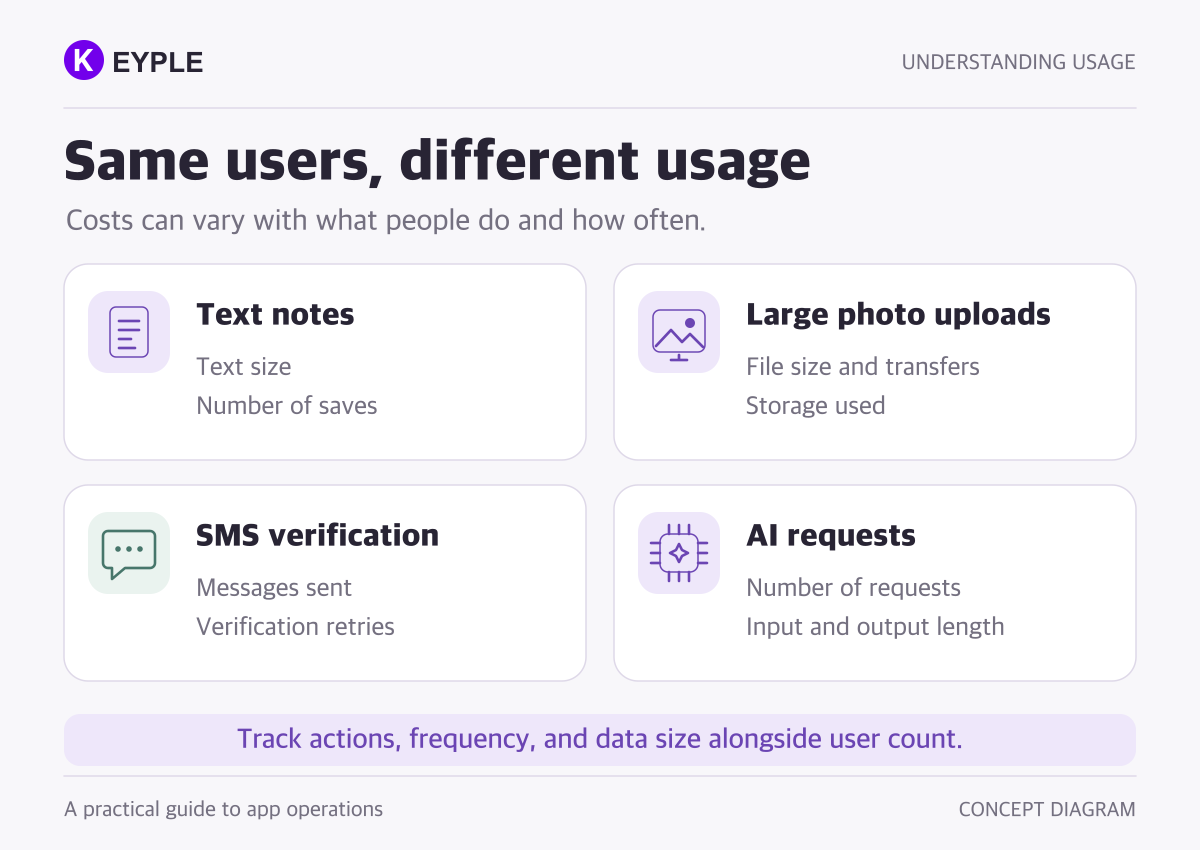
Registered users alone cannot determine an operating bill. Usage frequency, actions, payload size and implementation differ. Document a baseline and a growth scenario, then update both with observed usage after launch.
- Active users and visits, separate from total registrations
- Data actions: reads, creation and updates, including how much is fetched
- Files: upload count, average size, retention and download volume
- Messages and APIs: verification sends, retries, request frequency and output size
- Environments: test and production resources, backups, logs and other integrations
Cloud Firestore, for example, describes charges for document and some index reads, writes, deletes, storage and network usage. Check the selected product's billing model rather than applying those units to every database.
3. Map the features that consume paid resources
File storage and delivery
Keeping a file and delivering it are different workloads. Cloud Storage distinguishes storage, processing operations and network usage. Review the official storage pricing against the location and configuration actually used by your app.
Verification messages and push
Firebase phone authentication has SMS-send charges; FCM messaging itself is listed at no cost. Backend work preparing notifications may still incur charges. Check the feature-specific pricing instead of treating every kind of message as the same service.
External AI APIs
Identify the model, input and output volume, and processing mode. Agree on whether API usage is included in the development fee. Gemini API pricing illustrates model- and processing-specific rates. On-device functionality and an external paid API do not share one cost model.
Accounts and other tools
Separate store accounts from monthly compute. The Apple Developer Program describes annual membership charges; Google Play enrollment describes a one-time registration fee. Review actual account conditions and add only the domains, email, maps, monitoring or other tools you use.
4. Review free usage alongside plan requirements
Firebase distinguishes its no-cost Spark and pay-as-you-go Blaze plans. A free quota does not imply every required capability is available on a particular plan. Check plan requirements and product-specific conditions together.
Record when charges can arise, not just whether the initial workload fits a free allowance. Fixed resources or subscriptions can remain billable during low activity. Do not assign one price to an install count or assume every app needs a hosted backend.
5. Distinguish budget notifications from enforcement
An ordinary budget alert is a notification, not an automatic spending limit. Firebase's separate spend caps apply only to supported services. Review eligible services and suspension behavior in the official cost-control guidance.
For any limit, define what the user sees if an important function stops and who restores it. Do not substitute abruptly disabling billing or every service for an incident plan.
- Alert recipients and review cadence
- Where unexpected usage will be investigated
- Whether file-size, request-frequency and resend limits are implemented
- App behavior, support communication and recovery after a limit is reached
- Measurement of unnecessary repeated backend work and external requests
Image optimization, fetching only needed data and removing duplicate requests are useful review candidates. Measure the actual workload first; do not promise a universal savings percentage.
6. Keep a cost register with clear owners
For each service, record its name, console, account owner, billing contact, charging unit, estimate assumptions, review cadence and incident owner. Keep passwords and secret keys out of this general operating document.
- What warranty and operational support are included in development?
- Will the client pay the provider directly or through the developer?
- Which workload, region, plan and period does the estimate assume?
- How are taxes, currencies and renewals explained?
- Can the operator review usage and actual charges?
- Who investigates cost spikes and service restrictions?
- How are accounts and operating records handed over if providers change?
A useful budget is more than a number: it has revisable assumptions, visible invoices and responsible owners. Start with essential features before development and revisit the estimate using measured workload after release.
For scope decisions, read app development cost and timeline. For ongoing work, see Flutter maintenance cost and scope. If ownership is changing, use the app handover checklist.
For app development and operational planning with KEYPLE, start with your required features and the cost items you want to clarify. Do not attach passwords, secret keys or real customer data to an initial inquiry.
Official documentation was reviewed on October 6, 2026. This is a planning checklist, not a guarantee of a bill or savings. Confirm actual charges against the agreement, usage, location, currency, taxes, plan and current provider terms.
Frequently asked questions
Does the development fee include hosting and maintenance?
Not necessarily. Confirm implementation, warranty, operating support and third-party charges separately in the agreement. Some contracts bundle them; the stated scope is what matters.
Is running an app free when it has few users?
It depends on the features, plan, fixed resources and free allowances. Registrations alone do not establish that an app is free to operate. Account renewals and maintenance work are separate items.
Can registered-user count determine the monthly hosting bill?
Not on its own. Estimate actual activity, data operations, file size and delivery, verification sends and external API workload. Update assumptions with measured usage after release.
Will a budget alert automatically block further charges?
An ordinary alert does not enforce a cap. Review whether a separate limit is supported, how it behaves, and who handles the app and service if usage is restricted.