
Before You Launch an AI-Built App: A Practical Checklist
Check whether an AI-built app is ready for real users: authorization, purchases and restoration, failed requests, account switching, source access, and operational handover.
Generating screens and features with AI is different from operating a service for real users. This checklist is not an argument against AI or a demand to outsource everything. It helps you identify what to verify in an app you built yourself and where a specialist review may be useful.
1 Separate a working screen from a release-ready service
You used AI-assisted coding to build a sign-in screen and a payment button. Why pay a developer now?
The remaining work is not simply typing more code. It is checking that the service delivers what it promises and resolving the gaps. KEYPLE actively uses AI too. What matters is the evidence behind the implementation and who will maintain it.
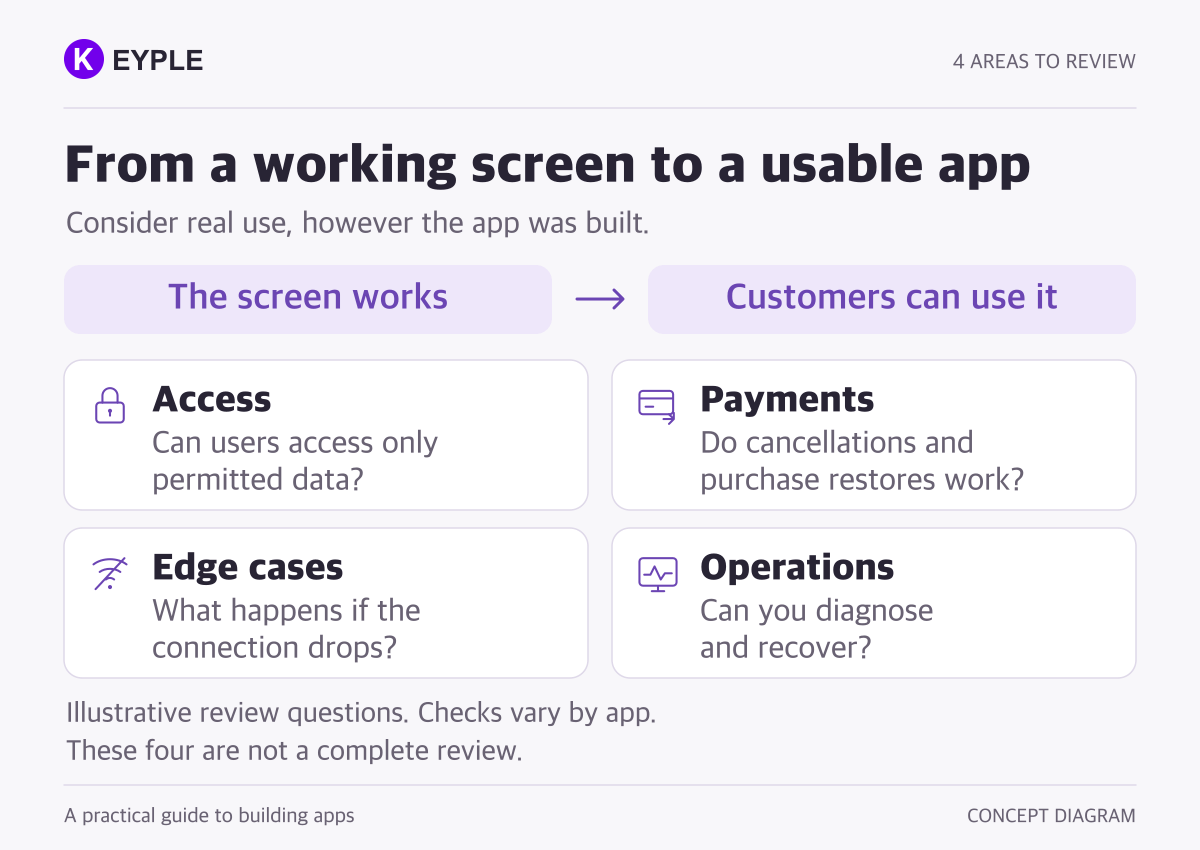
Building a personal tool or an early prototype yourself can be a reasonable choice. A service handling other people's information or payments needs acceptance criteria beyond its visible screens. The situations below are test scenarios, not incidents attributed to real clients.
2 Check data access separately from sign-in
Authentication establishes who a user is. Authorization determines which records that user may read or change. Hiding a button does not prevent direct access to the underlying service. OWASP's authorization guidance recommends checking permissions on every request and not relying on client-side decisions alone.
- Confirm that test account A cannot read or edit account B's private records.
- After signing out of A and into B, check that A's records and notification associations do not remain active.
- Confirm that ordinary accounts cannot perform administrative actions through direct requests.
Using Firebase does not make these checks unnecessary. The Firestore examples distinguish a signed-in-user check from an ownership check. The verification approach must fit the actual backend architecture.
3 Test access after a payment succeeds
The payment sheet closing and a paid feature becoming available are different events. Verify the purchase, apply access, and check it again after restarting the app. Google Play's purchase flow treats purchase verification and content delivery as separate steps.
- Do pending, failed, and canceled purchases produce the correct messages and access state?
- If connectivity drops after payment, can the app recover and determine the result?
- Do eligible purchases restore under the agreed conditions after reinstalling or changing devices?
- Do renewal cancellation, expiry, and refunds update access correctly?
Turning off subscription renewal, losing access immediately, and receiving a refund are not equivalent. Check the actual Google Play subscription state. Apple's current entitlements also distinguish refunded or revoked products and consumables. Restoration depends on product type and account design; purchases do not automatically transfer between iOS and Android.
4 Test recovery, not just the successful path
One successful tap on Save is not enough. Include repeated requests and delayed responses in acceptance tests.
- After a connection failure and retry, are records missing or duplicated?
- Can repeated taps unintentionally create multiple orders, reservations, or rewards?
- Can a response started under one account appear in another account's screen?
- Does required data survive restarting the app and installing an update?
Use physical devices within the supported scope and record the expected outcome, actual result, and app version. Diagnostic logs need useful context, not passwords or unnecessary personal information. These are KEYPLE's suggested starting checks, not a substitute for a full security assessment.
5 Include future changes and operational handover
After changing a feature, the team should be able to recheck sign-in, payments, and saving. Human-written code can contain errors too. Outsourcing alone does not guarantee quality: assess the deliverables and the evidence used to accept them.
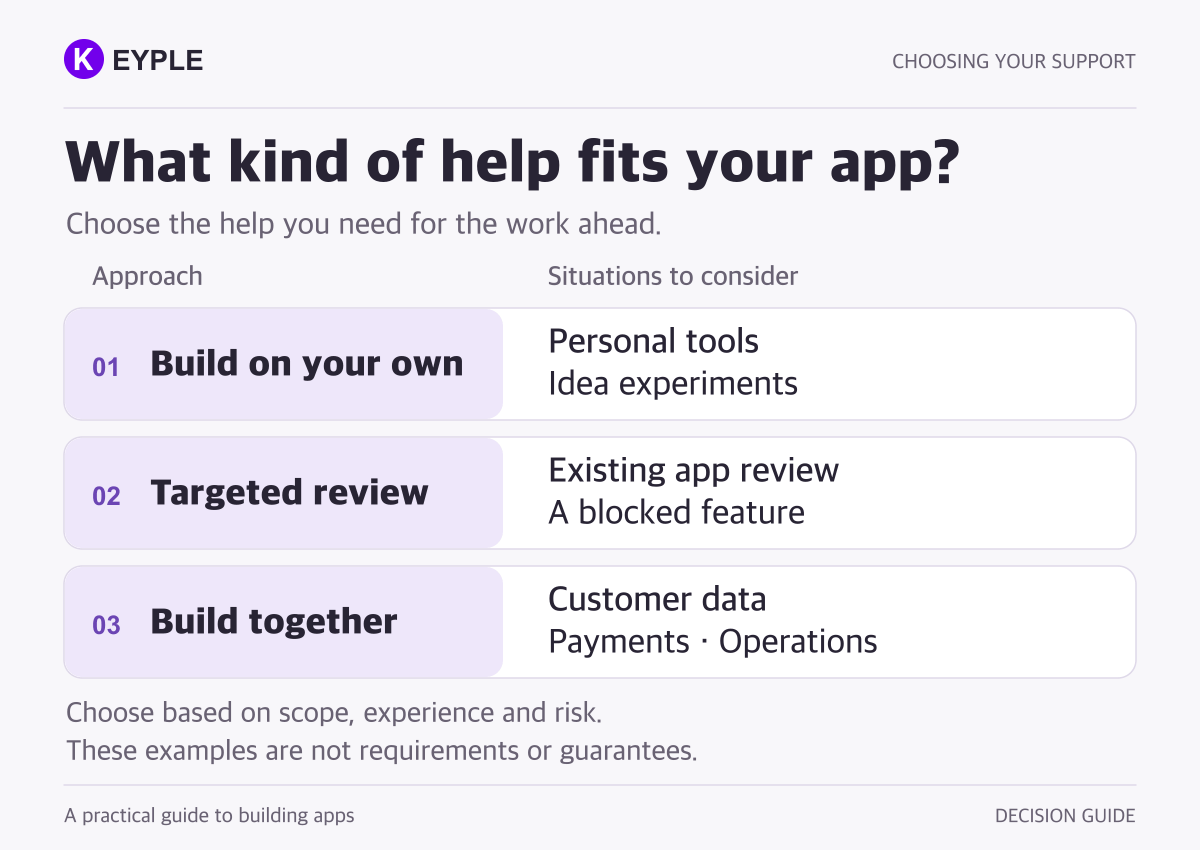
- Will you receive access to the source repository, build instructions, and required configuration?
- Are ownership and administrative access for the stores, backend, and domain clear?
- Are troubleshooting, backup and recovery scope, and operating costs explained?
- Are change scope, acceptance criteria, and post-launch responsibilities agreed?
Check the usage terms for source code and third-party components as well. Use the app development handover checklist to organize what a future developer will need.
6 Before you throw away the app you already built
An app does not need a complete rewrite just because AI helped create it. Review its behavior and structure first, then separate reusable work from gaps that need attention.
You can continue building it yourself and commission a review, bring in help for a specific area such as authentication or payments, or request release preparation and operational handover. A full rebuild is an option to evaluate against the findings and cost, not the automatic starting point.
The useful question is not AI versus developers. It is what to build yourself and what to verify together. Compare development proposals by agreed outcomes and verification scope, not the volume of code.
When contacting KEYPLE about an existing app, describe what works, where you are stuck, and your release goal. See our Flutter app maintenance service for the scope of work. You do not need to send real customer records or passwords to start the conversation.
Frequently asked questions
Does every AI-built app need an outsourced developer?
No. Building a personal tool or an early prototype yourself can be a reasonable choice. When an app handles customer information or payments, or includes behavior you cannot confidently verify, consider specialist review based on the risks and the required scope.
Can I request a review or fixes for only part of an existing app?
After reviewing the code and its behavior, the work can be scoped as an assessment, a specific feature fix, or release preparation. The existing architecture and available access affect what is possible. A full rebuild should be evaluated, not assumed.
Does hiring a developer eliminate bugs and security issues?
No. Both people and AI can make mistakes. Agree on feature-level acceptance criteria, verification evidence, support conditions, and post-launch responsibilities. This checklist is not a replacement for a full security assessment.