
App Account Deletion Checklist for iOS and Android
Plan app account deletion for iOS and Android: web request routes, identity checks, Firebase cleanup, provider data, subscriptions, retries, and acceptance tests.
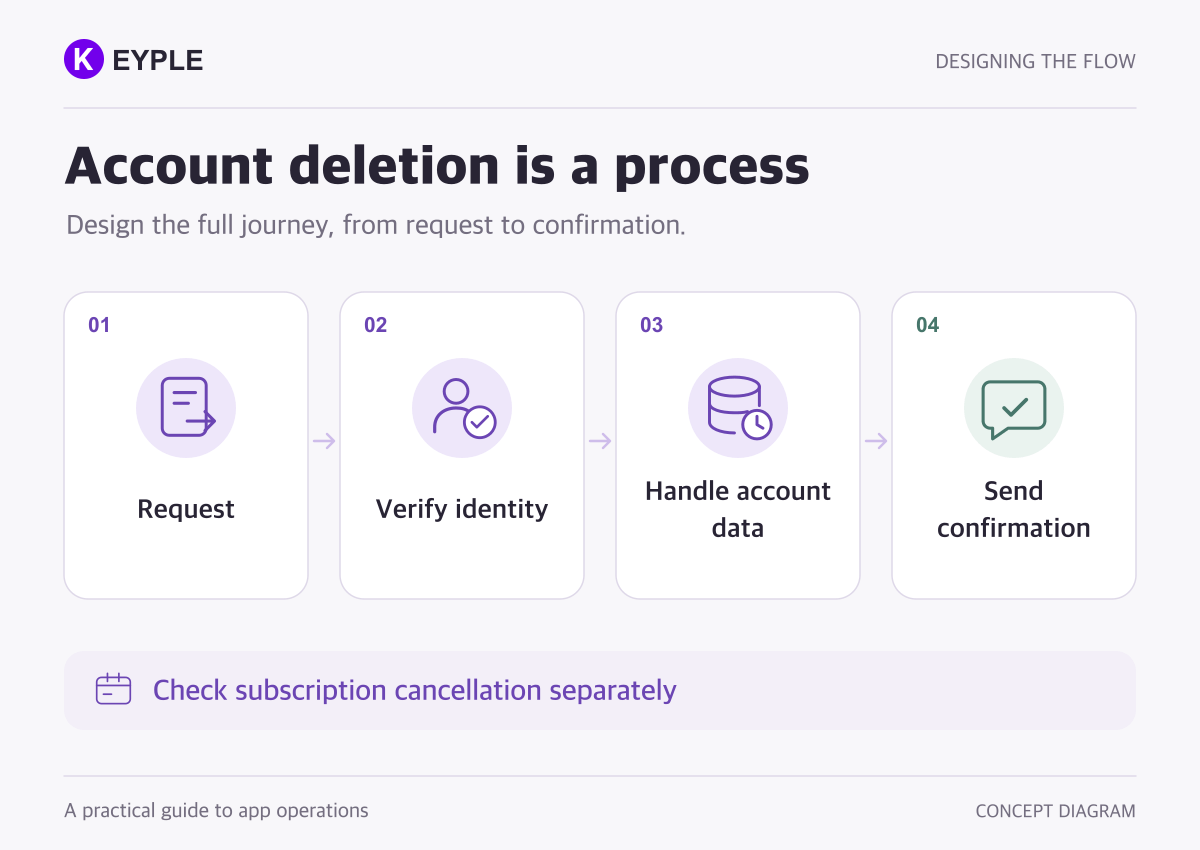
Account deletion is a workflow, not just a button in Settings. It verifies the request, removes the account and its associated data, and communicates the outcome. Returning to a sign-in screen does not prove that uploaded files or server records are gone. Before release, define the interface, backend jobs, external dependencies, and acceptance tests together.
1 Check account creation paths and platform requirements
List the ways an identity is created: email registration, social sign-in, automatically generated accounts, and links to web registration. The absence of a visible registration button does not establish that the app has no accounts.
Apple requires in-app account deletion when an app supports account creation. See App Review Guidelines 5.1.1.
Google Play requires in-app and web deletion paths for apps offering registration, including linked web registration. The web resource must identify the app or developer and accept requests without requiring reinstallation. See Google Play account deletion requirements.
This checklist addresses typical mobile apps. Assess apps without accounts and regulated services against their actual functionality and applicable exceptions.
2 Distinguish a submitted request from completed deletion
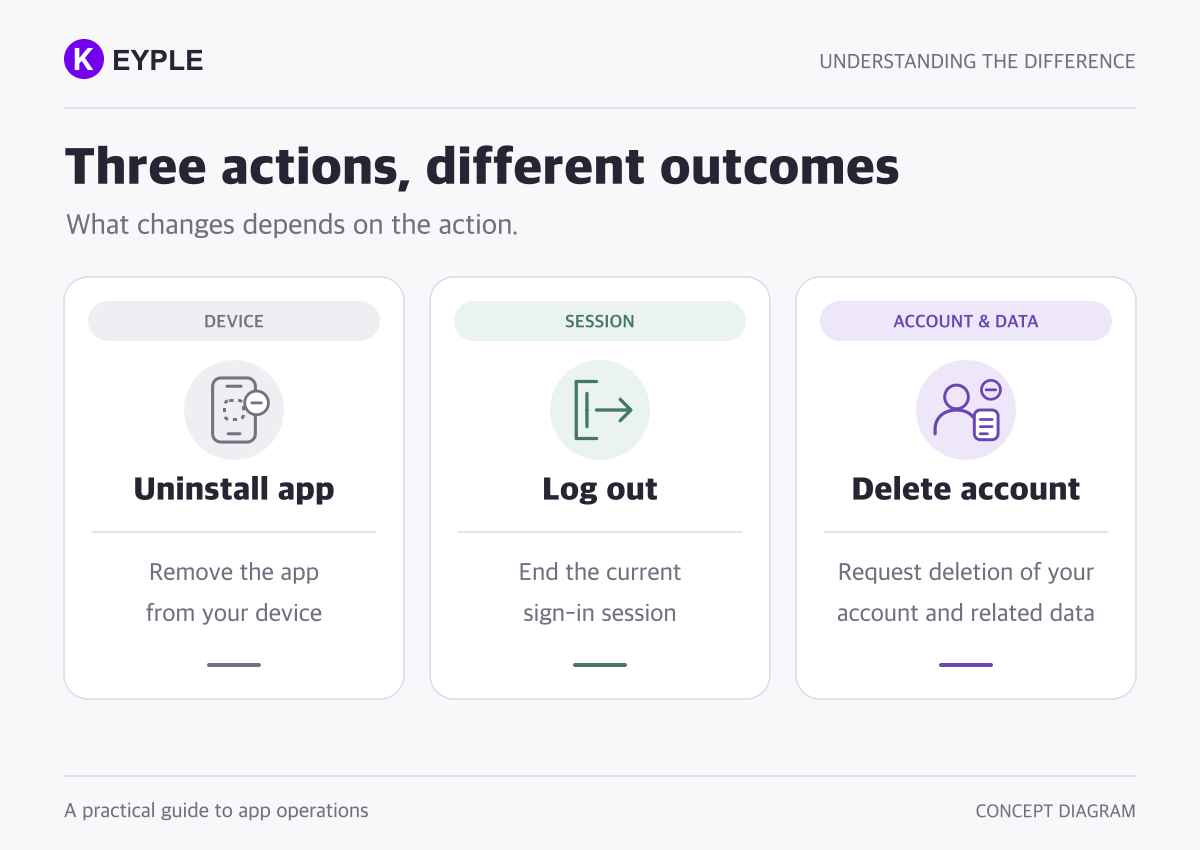
Make account deletion discoverable in Settings. Explain what will be removed and which features will become unavailable before confirmation. Do not label sign-out or temporary suspension as account deletion.
Apple does not allow ordinary apps to require a support call or email to complete deletion. If processing takes time, communicate the expected timing and completion. See Apple account deletion guidance.
A useful interface distinguishes these states:
- Before confirmation: explain affected data, retained items, and reversibility.
- Verification: establish that the requester owns the account.
- Accepted: the server has recorded the request; processing is ongoing.
- Completed: the defined work and verification have finished.
- Attention required: a delay or failure needs investigation.
Do not display “All information has been deleted” merely because a request was queued. Match the message to the state the server can confirm.
3 Map authentication and application data separately
An authentication identity enables sign-in. Application data includes files, posts, and history held in other systems. The authentication console alone cannot define the deletion scope.
For each data type, record its location, account linkage, deletion operation, and completion check.
- Identity and profile: authentication user, profile records, and linked providers.
- User content: posts, comments, original uploads, and thumbnails.
- Operational data: notification targets, search indexes, support records, and analytics identifiers.
- External processing: data held by providers used by the app.
- Retention exceptions: the minimum records covered by a separately assessed basis.
For example, deleting a Cloud Firestore document does not automatically remove documents in its subcollections. A missing profile document is therefore insufficient proof of complete deletion. Check Firestore deletion behavior.
Google Play also expects requests to reach relevant service providers. Record their outcomes. See its third-party data guidance.
4 Verify ownership and control ongoing access
A deletion endpoint must not trust an arbitrary user ID in the request. Derive the target from server-validated authentication and verify that supplying another account's identifier cannot delete it.
Test stale sessions, account switching, and concurrent use on multiple devices. Firebase client-side account deletion, for example, requires recent sign-in. Handle cancelled or failed reauthentication rather than leaving the user stuck. See Firebase user management.
A practical design should prevent fresh writes and background work from recreating data during deletion. Check existing sessions and notification targets as well. Signing out one device is different from preventing server access.
Include Sign in with Apple token revocation. Consult Apple's deletion guidance and the token revocation API. Order the work so necessary integration details are not removed before revocation and any retries can finish.
5 Make partial failures recoverable
A multi-system cleanup that depends on the phone staying open is vulnerable to app termination and connection loss. One implementation approach is to record a server-side deletion job with results for each step.
The profile deletion might succeed while file cleanup fails. That is not a completed request. The failed step should remain visible and be retryable.
- Make repeated requests safe without affecting unrelated data.
- Treat already-absent records safely, but do not disguise authorization or network errors as success.
- Define retry limits, delays, and ownership of stalled jobs.
- Preserve enough job state to investigate even after the app closes.
- Keep only necessary verification details, such as a request identifier and step outcomes.
Test administrative bulk deletion separately. Firebase Admin SDK bulk user deletion does not emit individual user deletion events. Cleanup tied to those events can therefore be skipped on that route. See Firebase Admin user deletion.
6 Handle subscriptions and retention separately
Do not assume account deletion, subscription cancellation, and refunds are the same operation. Identify the billing channel and subscription state, then explain any action the user needs to take.
Apple subscriptions may continue billing after account deletion. Direct users to subscription management; if you offer deletion at subscription expiry, retain an immediate deletion option. See Apple's subscription guidance for deletion.
Google Play likewise explains that uninstalling an app does not cancel its subscription. If your account deletion flow integrates cancellation, verify the actual cancellation result. Otherwise, make the separate management route clear. See Google Play subscription management.
For records that must remain, document the applicable basis, specific fields, retention period, access restrictions, and eventual disposal. A blanket statement that “the law requires retention” is not a sufficient implementation specification. Do not apply one retention period to every service or jurisdiction.
Also define how a backup restoration avoids reintroducing deleted users' data into active service. Separate retained records from ordinary product data and ensure the user-facing explanation matches the operational process.
7 Align acceptance tests and submission details
Testing should include creating real sample content under a test account and comparing the relevant systems before and after deletion, not merely watching the app sign out.
- Can every supported registration method initiate the request?
- Are reauthentication cancellation and expired sessions handled safely?
- Do repeated taps and requests from multiple devices preserve the correct target?
- Can the team confirm request status after app termination or a network interruption?
- Are failed file or provider operations detected and retried?
- What happens to old sessions, scheduled notifications, and synchronization?
- Can someone who uninstalled the app use the web request route?
- Do privacy explanations and store declarations match the implementation?
Describe the location and test procedure clearly in review notes. Since deletion tests consume accounts, prepare an appropriate way to repeat them.
For outsourced work, scope the screen, backend cleanup, web request route, subscription messaging, and failure recovery explicitly. To review an existing app, start with its sign-in methods, data stores, and the step that fails. Passwords and real customer data are unnecessary in an initial inquiry.
Continue with our App Store and Google Play review guide or Flutter app maintenance service.
Official guidance was checked on October 13, 2026. This technical checklist does not guarantee review approval or legal compliance. Assess retention duties and exceptions against current policies and the laws applicable to the service.
Frequently asked questions
Does deleting a Firebase Authentication user remove all app data?
Authentication deletion alone does not establish that every application record has been removed. Check the cleanup you actually configured and verify databases, uploaded files, search indexes, and external providers separately.
Do I need a web route if the app already supports deletion?
Yes, for apps in scope of Google Play's policy. Requests must not require reinstallation. Check the official policy for exceptions.
What belongs in an account deletion development scope?
Include request and verification screens, per-system cleanup, external providers, the web request route, subscription messaging, retries, testing, and operational ownership. Distinguish a screen-only implementation from an end-to-end process.
How should deletion completion be tested?
Create sample data, then verify outcomes across its stores and providers. Test duplicate requests, connection loss, partial failure, and access through old sessions. The displayed completion state must match the actual outcome.