
App Store and Google Play review times and rejection causes
Plan App Store and Google Play review time, understand common rejection causes, and leave enough room for fixes, resubmission, and a controlled release.
Finishing development and becoming available in the store are separate milestones. Apple says that 90% of submissions are reviewed within 48 hours on average, while Google Play explains that review can take from a few hours to seven days or longer in exceptional cases. A practical launch plan also includes account setup, policy declarations, rejection fixes, resubmission, and storefront propagation.
1. Plan for a range, not a guaranteed review time
Review speed depends on whether the app is new or an update, the developer account's history, sensitive permissions and features, and the completeness of submission information. Use the platform guidance as a planning range rather than a release promise.
Apple's official FAQ says that 90% of apps are reviewed within 48 hours on average. Google Play states that reviews may take a few hours or up to seven days, with longer times possible in exceptional cases.
- App Store: many submissions finish within 48 hours, but complex or novel issues may need more review
- Google Play: allow from a few hours to seven days, and longer for some accounts or apps
- First release: leave more time for account, content, and policy declarations
- Resubmission: add both implementation and another review window to the plan
2. A first launch requires more than a release build
A first submission includes the developer account, privacy policy, age rating, data collection, advertising and payment declarations, store copy, and images as well as the binary. Missing declarations or information that does not match the app can delay submission even when the feature work is complete.
An update may be faster because the product already has approved information, but a new permission, payment flow, account feature, or policy change can trigger a deeper review. Consolidate changes before submission instead of repeatedly editing the release while it is being reviewed.
3. Check the most common causes of rejection
Apple reports that more than 40% of unresolved review issues relate to Guideline 2.1, App Completeness. Crashes, placeholder content, broken links, and incomplete information are all issues a team can often catch before submission.
Google Play also asks for accurate store information, working review credentials for restricted screens, and complete privacy and permission declarations.
- Crashes, endless loading, or a critical journey that does not work
- Placeholder text, empty screens, temporary images, or unfinished content
- Store copy and screenshots that do not match the actual app
- Missing or invalid reviewer credentials for a login-only experience
- Missing privacy policy, support link, or account-deletion flow
- Unclear reasons for camera, location, contacts, or other sensitive permissions
- Payments or subscriptions that do not follow the platform's rules
4. Classify the rejection before uploading another build
A rejection message usually identifies the screen, policy section, and action required. First decide whether the solution is a clarification, store-metadata change, reviewer-access update, or code change. Uploading a new build before understanding the issue can create another unnecessary review cycle.
When the policy interpretation is unclear, explain the feature purpose and reproduction steps and attach a concise screen recording where helpful. If code changes are required, retest the full journey from sign-in to the affected screen before resubmitting.
- Record the cited policy and the exact screen reviewed
- Separate metadata, account access, and implementation changes
- Explain the corrected behavior and reviewer path concisely
- Check related screens and both platforms before submitting again
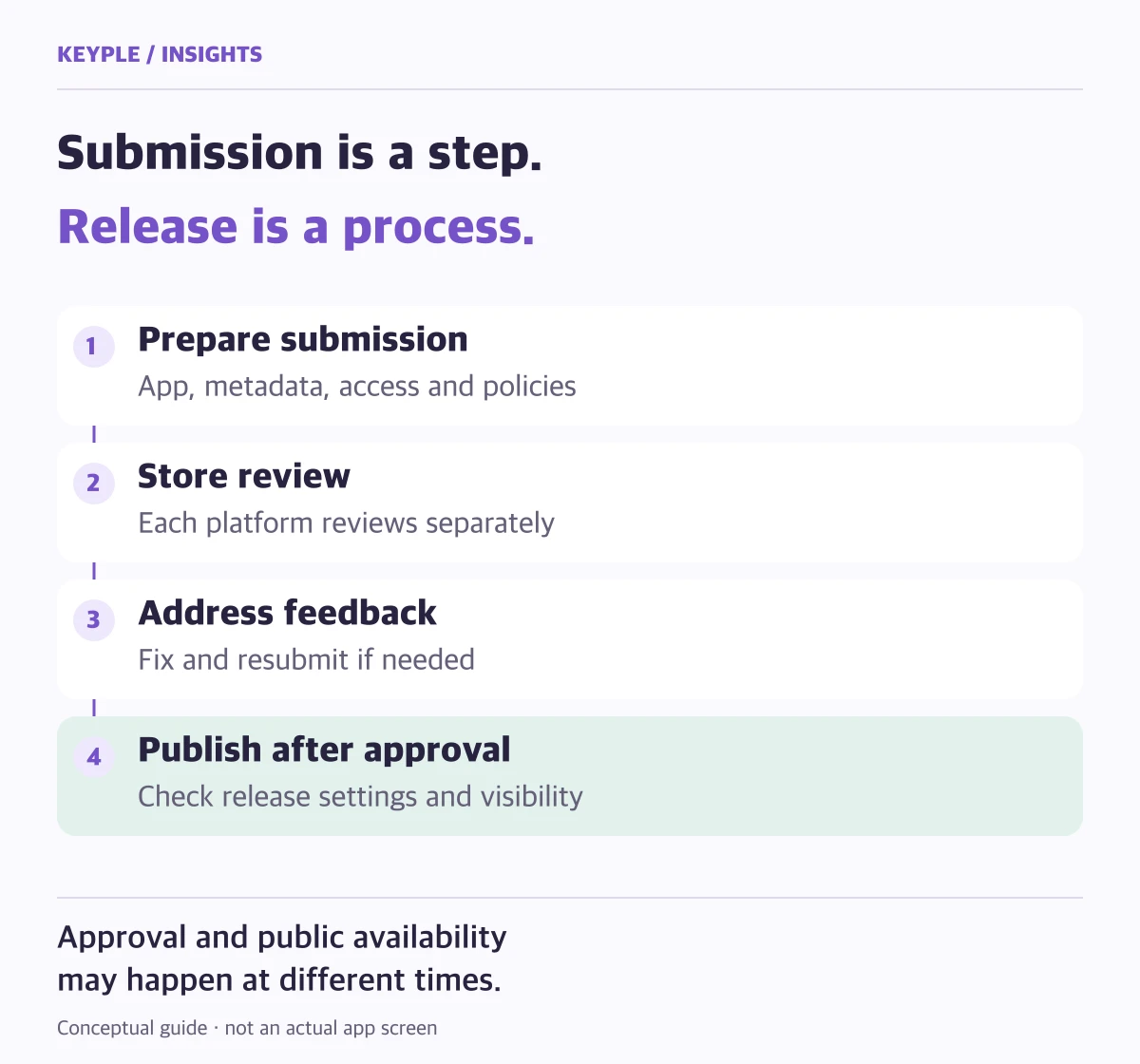
5. Include the time between approval and availability
Approval does not always mean immediate availability in every storefront. Apple notes that it may take up to 24 hours for an approved app to appear across selected storefronts. Google Play can publish approved changes automatically or hold them for a controlled release with managed publishing.
If marketing, press, or an event depends on a fixed date, submit early and choose a release method that lets the team control the public launch after approval.
6. Use a final pre-submission checklist
The most reliable way to reduce review delays is to make the product easy for a reviewer to understand and test without getting blocked.
- Test sign-up, login, payment, deletion, and other critical journeys in the release build
- Provide review credentials and clear instructions for two-factor or special access
- Match store copy, screenshots, permissions, and actual behavior
- Verify that privacy and support links work outside the app
- Check Android App Bundle and iOS build numbers, signing, and distribution accounts
- Leave room for one rejection fix and another review before the target date
Frequently asked questions
How long does Google Play app review take?
Google Play says review can take from a few hours to seven days and longer in exceptional cases. New accounts, first releases, and apps with sensitive permissions should allow extra time.
How long does App Store review take?
Apple's official FAQ says that 90% of apps are reviewed within 48 hours on average. Complex apps, novel policy questions, and repeated rejection for the same issue can take longer.
Does a rejected app start review again?
After the required information or build is corrected and resubmitted, the app goes through review again. Distinguish a clarification from a code change before submitting only what is necessary.
Can store-review support be included in development?
Yes. The scope can cover developer-account preparation, release builds, store content, submission, rejection analysis, and resubmission support.
Official references
Stuck on app review or an update?
Tell us whether this is a first release or an update, and where you are in the process. If your submission was rejected, include the rejection reason so we can identify the submission details and app changes that need attention, then plan the next steps.