
Seven signs that your released Flutter app needs maintenance
Learn when a released Flutter app needs maintenance, from store requirements and build failures to crashes, login, payment, push, and incomplete handover.
A released app does not stay unchanged even when no new features are added. Flutter, packages, Android and iOS toolchains, store submission rules, and connected services continue to move. When one of the following signs appears, review whether the project can still be built and released before applying a narrow patch.
1. The next store update can no longer be submitted
From August 31, 2026, standard new apps and app updates submitted to Google Play must target Android 16, API level 36, or later. Existing apps must target Android 15, API level 35, or later to remain available to new users on newer Android devices. Apple has also required iOS and iPadOS apps uploaded to App Store Connect from April 28, 2026 to be built with the iOS and iPadOS 26 SDK or later.
An older project may need more than a target SDK or Xcode number change. Gradle, Kotlin, CocoaPods, Flutter plugins, permissions, and platform behavior can be affected together, so the current toolchain and migration scope should be reviewed before submission.
- Play Console or App Store Connect shows a new submission requirement
- The build reports an outdated target SDK, Xcode, or iOS SDK
- The policy deadline is near, but the last release procedure is unclear
2. The source exists but no longer builds on a new computer
Source code alone may not reproduce a release when the original Flutter, Dart, Android Gradle, Java, Xcode, and CocoaPods versions were not recorded. Unavailable dependencies and expired signing assets can also block the build.
Before fixing a visible issue, recreate a repeatable development environment. Preserve the current source, identify the last known working setup, migrate in controlled steps, and verify Android and iOS release builds separately.
3. Crashes and intermittent failures are increasing
A full launch failure is not the only production incident. Device-specific crashes, frozen screens after returning from the background, and duplicate data under unstable network conditions can all damage the product experience.
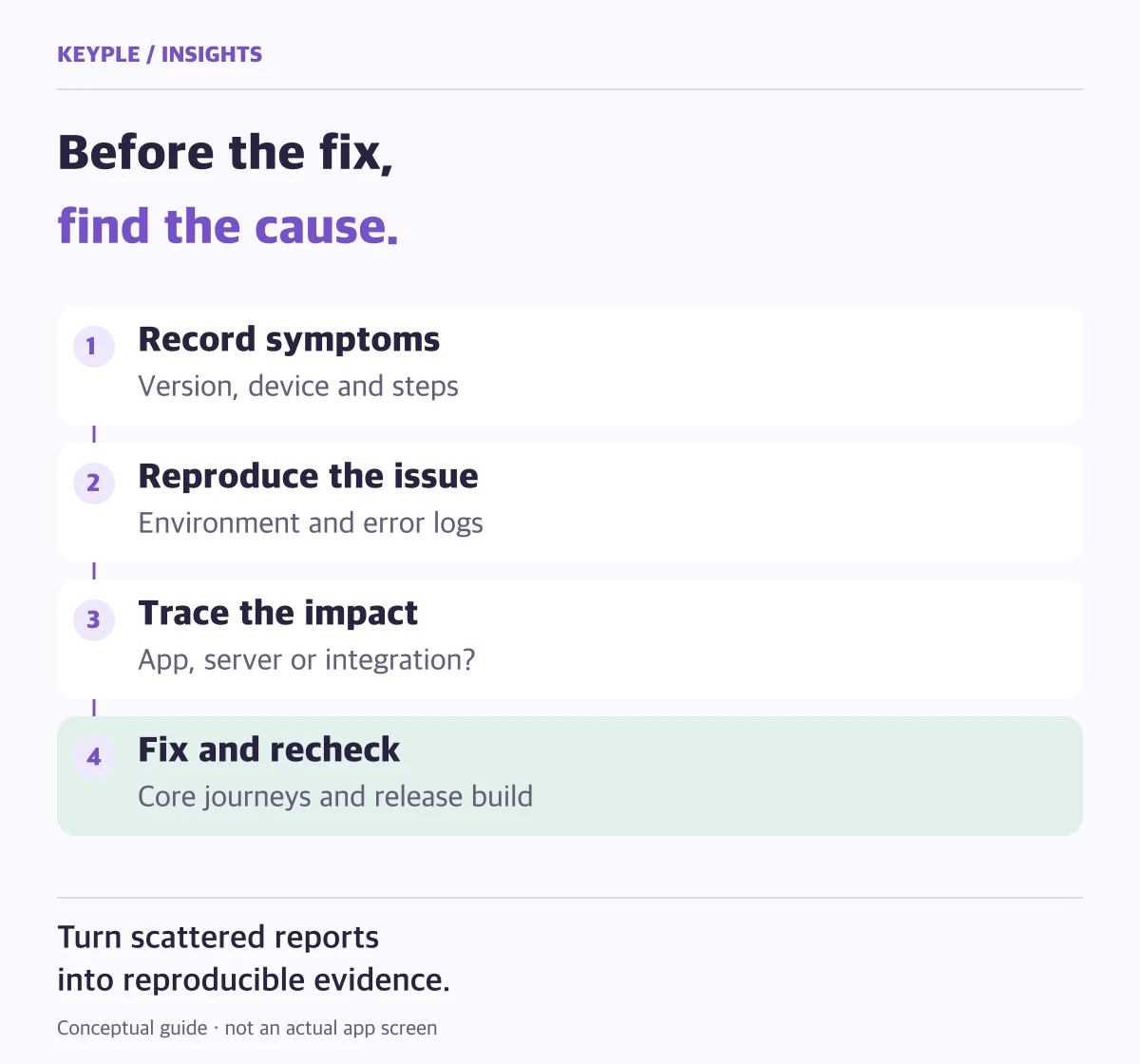
Support messages can make one root cause look like several separate bugs. Combine crash reports, affected app versions, devices, and reproduction steps to set priorities and narrow the investigation.
- Crash or freeze reports repeat after a recent release
- The same feature fails only on Android or only on iOS
- Users report the issue, but the development environment cannot reproduce it
4. Login, payment, push, or another integration stops working
Social login, payment, maps, push notifications, and analytics depend on external SDKs, APIs, certificates, server keys, and console configuration. A change in any one of them can break a user journey without a major app-code change.
Separate failures in the app, backend, and provider before changing the message shown on screen. Check expiring certificates and keys, production and test environments, and access to the responsible accounts.
5. Layouts and permissions behave differently on current devices
Operating-system updates can change notifications, photo and location access, background execution, and safe areas. An app that works on older devices may hide controls or fail to recover after a user denies a permission on a newer device.
Flutter publishes migration guidance for breaking changes and deprecated APIs. After upgrading, verify more than build success: test registration, login, payment, notifications, account deletion, and other critical journeys on real devices.
6. Small change requests keep accumulating
A copy change, banner replacement, or new form field can affect data structures, backend responses, and store metadata. Repeated emergency patches can create several implementations of the same behavior and make the next change riskier.
Separate bugs, operational changes, feature improvements, and structural work. Group them into a release using usage frequency, business impact, and implementation risk instead of redeploying for every small request.
7. The original developer is unavailable or the handover is incomplete
Operating an app requires more than source code. App Store and Google Play accounts, signing keys, Firebase, backend, domain, and third-party service access may all be required. Searching for them after an incident can turn a small fix into a long outage.
Inventory assets and permissions while the app is stable and move them to accounts controlled by the operator. A new maintenance team should verify builds, release access, and critical journeys, then complete the handover documentation.
8. What to prepare for a maintenance review
You do not need perfect technical documentation before asking for help. Share what is available from the list below so the team can identify what can be diagnosed and which permissions are still required.
- Current App Store and Google Play links and the latest update date
- Full source location, active branch, and last known working build
- Screen recording, reproduction steps, test account, and relevant logs
- Flutter and Dart versions plus Android and iOS toolchain details
- Connected services such as Firebase, backend, payment, and login
- Expected result: bug fix, environment upgrade, feature work, or store release
Frequently asked questions
Does an app need maintenance even when it still works?
Immediate code changes may not be necessary, but current OS behavior, store submission rules, connected services, and backups should be reviewed periodically. This reduces the chance of discovering every issue immediately before an urgent release.
Can another developer start with source code alone?
The toolchain, signing and store accounts, backend access, and third-party service permissions may also be required. The project should first be run and checked for release-build readiness before the change scope is agreed.
Should a Flutter project always use the newest version?
The goal is a stable combination that supports the app and meets store requirements, not an upgrade for its own sake. A staged migration can be safer for an older project.
Can maintenance and a new feature be delivered together?
Yes. Diagnose existing defects and toolchain issues first, then separate stabilization from the new feature so the schedule and acceptance criteria remain clear.