
App or Mobile Web First? How to Define Your Initial Release
Choose an app or mobile web for your first release by comparing acquisition, repeat use, device requirements, and operating scope. Includes PWA considerations and staged expansion.
Deciding whether to launch an app, a mobile website, or both starts with what customers need to do. Use their arrival journey, reasons to return, device requirements, and operating scope to separate the first release from later expansion.
1 Choose one action the first release must complete
“We want a booking service. Do we need an iPhone app, an Android app, and a website at the same time?” Choosing platforms before defining the first release can add screens that are not yet necessary.
Start with the action a customer needs to complete. Reading about an event and submitting a request, logging a daily workout, and connecting equipment to take a measurement lead to different starting points.
Here, mobile web means a responsive web service designed to work well on a phone. An app means an installed iOS or Android application, built separately for each platform or with a cross-platform framework such as Flutter. A progressive web app, or PWA, adds experiences such as installation and offline use to a web service. Those features do not automatically come with every mobile website. See MDN's introduction to PWAs.
The situations and diagrams below are hypothetical examples for making a decision. They do not describe a particular client's results or conversion rates.
2 Consider how people arrive and why they return
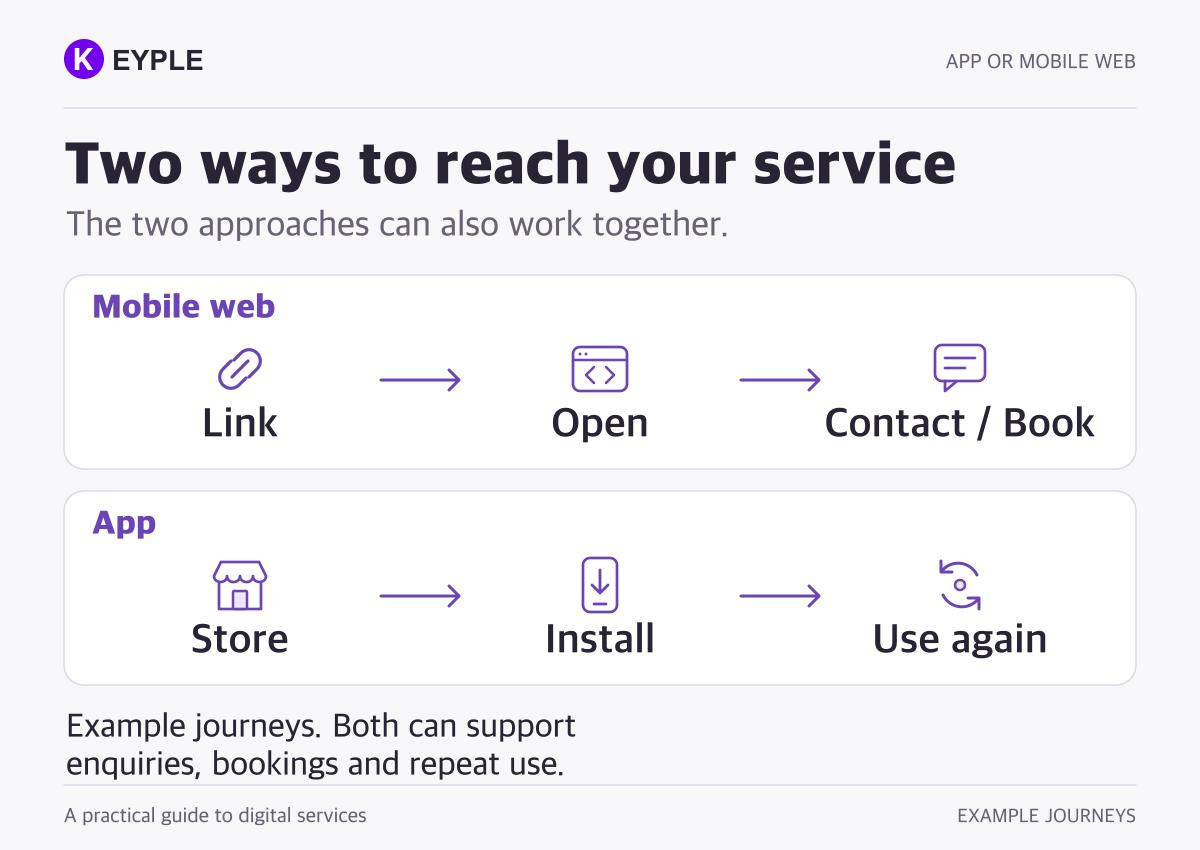
If customers arrive through search, a blog, a shared message, or a QR code to read information and submit a request, mobile web is worth considering first. Check whether they can complete the action as soon as they open the link. A website alone does not guarantee search visibility or inquiries; its content and acquisition channels also need attention.
An app may be worth prioritizing when people return frequently to log information, play content, or resume previous work. An installed icon does not guarantee that they will return. There must be a useful reason to open it again.
- Open a shared link, read details, and make an inquiry or request: Consider mobile web first. Verify that the entire form and completion flow is comfortable on a phone.
- Use the same recording or playback features frequently: Explore an app or an installed web app. Verify that the return journey fits the required features.
- Continue with the screen off or while connected to equipment: Validate the core behavior before choosing. Check whether the target devices can sustain the required behavior.
These are starting directions. A service can welcome new visitors on the web and offer an app for frequent users. The web.dev PWA guide also describes combining link-based access with an installed experience.
3 Specify the conditions, not just the feature names
A camera or notification requirement does not settle the choice by itself. Web services can use cameras, microphones, and notifications, subject to supported environments and permissions.
For example, camera and microphone access through the web requires conditions such as a secure connection (HTTPS) and user permission in a supporting browser. MDN's getUserMedia documentation also covers permission refusal and unavailable devices. Attaching one photo is a different requirement from continuously analyzing live video.
On iPhone and iPad, Web Push has been supported since iOS and iPadOS 16.4 for web apps added to the Home Screen. Requesting permission requires a user interaction, and the user must allow notifications. Check the target environment against the WebKit announcement. Do not assume the same behavior in every browser tab.
A small feasibility check is particularly useful for:
- Work that must continue with the screen off or after switching to another app.
- Reading and saving without connectivity, then reconciling changes after reconnecting.
- Connecting to equipment through Bluetooth or another interface on specified devices.
- Behavior after permission refusal, power-saving settings, or closing the app or browser.
Confirm both the available capability and the behavior your service needs under its actual conditions. Installed apps are also subject to operating-system rules for permissions, background work, and power management. Define the target OS, browsers, installation state, and physical devices before verifying the feature.
4 Compare costs against the same operating scope
Starting on the web can remove store packaging and submission work from the first release. It does not remove the need for authentication, reservation processing, payments, an admin interface, or a backend when the service requires them. A small tool that works entirely on the device may not need a server. Decide from the data and operating model.
Align the work included in each proposal:
- Customer-facing screens and the backend behavior needed to complete the action.
- Content the operator can edit, and inquiries or requests they must process.
- Supported devices and browsers, accessibility, and failure scenarios to verify.
- Responsibility for deployment, updates, and operation after launch.
Web delivery requires browser checks and consideration of deployment and cache updates. Apps require platform builds, permissions, store submission, and an update process. Offline behavior also needs a plan for stored data and reconnection; calling a product a PWA does not implement that plan.
Compare proposals around the same customer outcome and operating scope.
5 Start with a defined scope and agree when to expand
Consider a hypothetical event service. If the first question is whether participants can open a link, find a suitable event, and submit a request, a mobile website and an operator tool may be a useful starting point. If people later attend repeatedly and regularly check schedules and records, an app may improve that recurring experience.
If the first question is whether equipment can stay connected and perform a required task with the screen off, a simple web form will not test that assumption. Validate the behavior on physical devices before deciding the platform and the initial development scope.
Use observations to decide what comes next: where people stop, how frequently they use the same feature, and when installation would help. There is no single visitor-count or conversion-rate threshold suitable for every service.
If an app follows the website, the architecture can allow shared accounts, data, and backend functions. Existing web screens do not automatically become app screens, and cost savings are not automatic. The reusable parts and the work that needs new design or implementation depend on the existing structure.
6 Bring these four points to the first development discussion
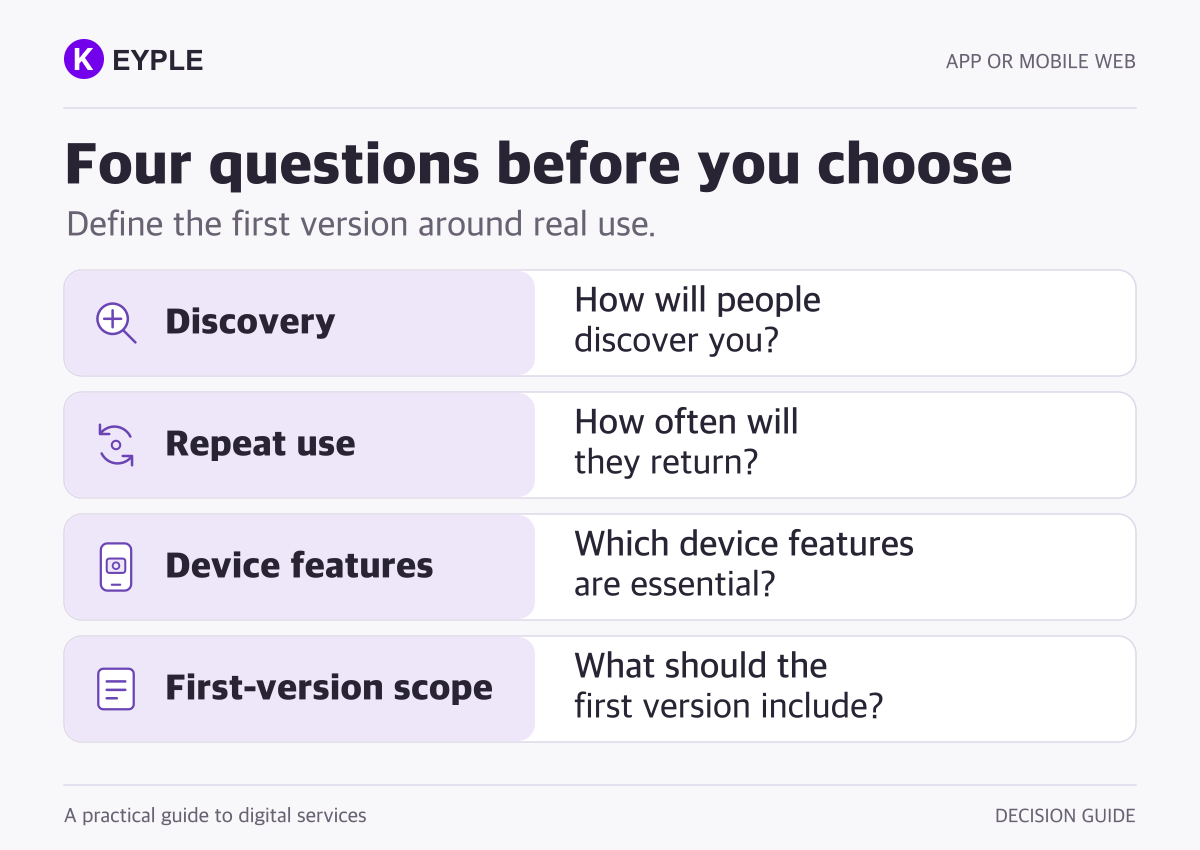
A complete specification is not required to start a useful conversation. These four points make the first release easier to define:
- First arrival: Will people find the service through search, advertising, shared links, a venue's QR code, or a store listing?
- Reason to return: Is it a one-time request, or will people return to record, play, or manage something?
- Required device behavior: Under which conditions are the camera, notifications, offline use, background work, or equipment connections essential?
- First-release scope: What must the customer complete, what must the operator handle, and how do budget and schedule priorities rank?
Include any existing website, app, or operating tools. Reviewing what can be used helps separate the initial release from later expansion.
KEYPLE develops and operates its own apps and games, and builds apps, websites, and admin interfaces for client projects. See our app development service and portfolio for examples of the work. If you have not chosen a platform, begin by describing what your customer needs to do.
Frequently asked questions
Is starting with mobile web always cheaper?
No. It can remove store submission work from the initial scope, but backend, payment, admin, and supported-environment requirements still affect the cost. Compare proposals for the same customer outcome and operating scope.
Can a website use push notifications or the camera?
Yes, where the environment supports the capability and the required permissions are granted. For example, Web Push on iPhone and iPad requires conditions including iOS or iPadOS 16.4 or later and a web app added to the Home Screen. Camera access also requires conditions such as HTTPS and user permission. Verify the required behavior on the target devices and browsers.
Can a mobile website be converted into an app later?
Accounts, data, and backend functions can be designed for reuse, but web screens do not automatically become app screens. Review the existing architecture and device requirements to identify what can be shared and what needs new implementation.
Do I need to build an app and a website at the same time?
It depends on the service. A website can handle discovery and requests while an app supports frequent use, or the first release can focus on one. Define the essential customer action and arrival journey before deciding the scope.