
Scoping an App Admin Panel: Operations, Permissions, and Acceptance Tests
Define an app admin panel around a reservation workflow. Learn when existing tools are enough, how to scope permissions and retries, and what to verify before launch.
A customer app can collect reservation requests while leaving the team without a practical way to process them. Scope the admin panel around who changes each status, what happens when something fails, and how the customer sees the result.
1 Identify the work that needs an admin interface
An app does not automatically need a custom admin website. A personal tool that stores everything on the device may have no central operations. An existing content management system (CMS) may handle announcements, a form may collect simple inquiries, and a booking provider's console may already cover reservation processing.
Check whether those tools support the required status changes, staff access, and connection to the customer experience. Repeatedly copying requests between systems or asking a developer to edit records can justify a dedicated interface.
Also define what staff can change. Announcements, images, and reservation statuses can be managed when the app has been built to read those values from a backend. New screens or device capabilities may require app code changes, an update, and applicable store procedures. An admin panel does not make every part of an app editable.
2 Follow one reservation from request to customer confirmation
Consider a hypothetical class-booking service. A customer requests a place, and an operator checks availability before approving it. This is a planning example, not a report of a client's results.
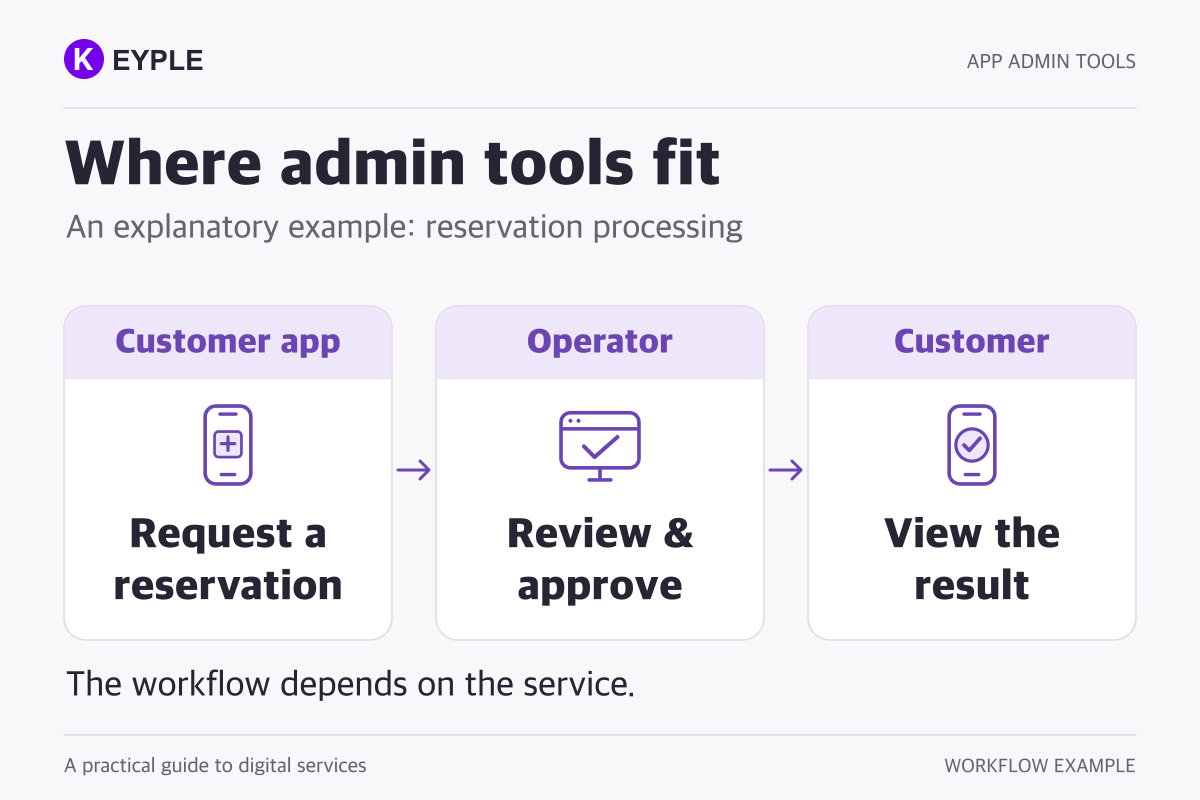
The basic journey is request submitted → pending queue → approval → customer checks the result. A menu called “Reservation management” leaves several decisions unresolved. Specify the work:
- Submission: Store a reservation reference, class time, party size, and submission time. Show the customer a pending status; submitting a request does not yet confirm a place.
- Review: Let staff find pending requests by date and status, then inspect availability. Show only the personal information needed for that task.
- Approval: Recheck the current status and remaining capacity on the server before saving the decision.
- Result: When the customer reopens reservation details, show the confirmed status and schedule. If notifications are included, track notification-send results separately from reservation status.
If rejection or cancellation is needed, specify when it is allowed, the reason to collect, and the customer-facing message. Keep internal notes separate from messages sent to customers.
3 Define permissions by person, action, and record
A reservation operator might process requests for an assigned branch, while a supervisor manages staff accounts. Someone editing announcements may have no reason to access customers' contact information. Record scope matters alongside the name of a role.
Deny access by default and grant only what the job requires. Hiding a button is insufficient: the server or server-side data access rules must validate permission on every request. These principles are covered by the OWASP Authorization Cheat Sheet.
Use individual operator accounts so access can be removed when responsibilities change. A small first release does not need a detailed organization chart, but it should distinguish viewing from processing when the work requires that distinction.
4 Include mistakes, concurrent work, and retries
Two operators can open the same pending reservation. If one approves it first, the other's screen is now out of date. Show the last change time and operator, and require a refresh before accepting an outdated change. The server must also compare the current status or version so that stale work cannot overwrite a newer decision.
A double click or retry after a slow response must not approve the reservation or reduce capacity twice. Disabling the button helps the interface, but the server also needs to prevent repeated processing and competing approvals. Define distinct failure messages:
- Save failed: Do not show confirmation. Preserve entered information and explain how to retry.
- Response missing: Check whether the operation was saved before trying again.
- Approval saved, notification failed: Keep the confirmed reservation and retry only the notification.
For deletion or bulk cancellation, show the affected records and consequences before confirmation. Decide whether a separate approver is appropriate for high-impact actions; routine work need not require two people.
Record the operator, reservation reference, time, action, and outcome. Exclude passwords and authentication tokens, and minimize personal data. The OWASP Logging Cheat Sheet addresses administrator activity and sensitive information in logs. Define who can read these records and how long they are needed.
5 Test through to the customer's result
An approval button on a screen is not enough to demonstrate operational readiness. Use sample reservations and fictitious people to run a complete acceptance scenario:
- A submitted request appears in both the operator queue and the customer's reservation details with the same reference and a pending status.
- An authorized operator approves it. The status, operator, and timestamp are saved, and the customer reopens the details to see confirmation.
- A read-only account is denied even if it sends a processing request directly. Records outside its allowed branch cannot be read or changed.
- Concurrent approvals and a repeated request reduce capacity only once. The outdated screen tells the operator to refresh.
- A save error and a notification error each produce a clear final status and a retry path for the failed step.
- Dismissing a cancellation confirmation leaves the data unchanged. Completing a cancellation produces matching customer details and activity records.
If notifications are outside the first release, omit their tests while retaining a way for customers to check the result. Exports are optional too. Add them when reporting or reconciliation requires them, with defined fields, download permissions, and activity records.
6 Keep the first release focused on daily work
For this service, an initial admin panel could include sign-in, a pending queue with filters, reservation details, approval and rejection, basic permissions, and activity records. Include cancellation if daily operations depend on it. Revenue charts, elaborate analytics, and bulk editing can follow when their purpose is clear.
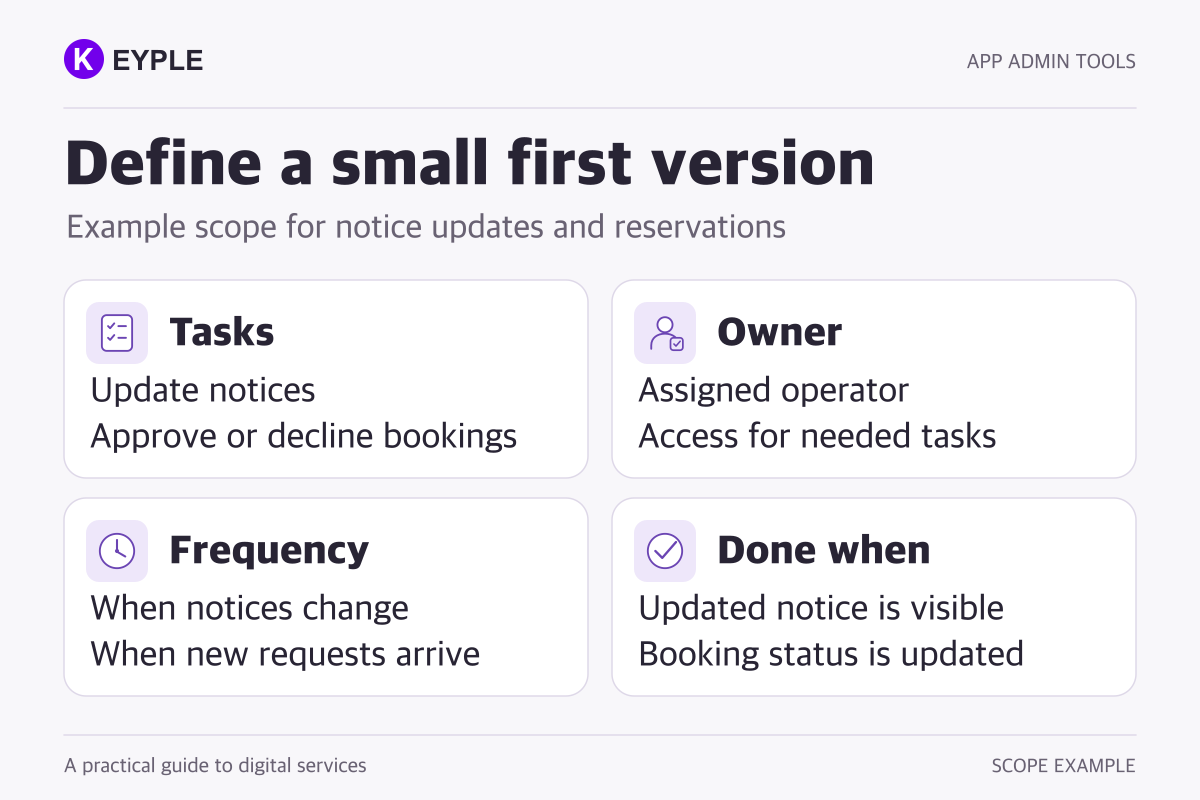
Describe each operation using four practical fields:
- Task: Review and approve a new reservation.
- Owner: The booking operator assigned to that branch.
- Frequency: Check pending requests each business day.
- Done when: The customer sees confirmation and the operator is recorded.
Bring this processing sequence, the actions each role may take, and the result customers should see. Include existing tools so the team can identify what is already covered. Even in a smaller scope, permission checks, duplicate prevention, and clear failures remain part of completing the selected workflow reliably.
See KEYPLE's responsive web development service and portfolio for related work. Sharing your current operating tools and most frequent tasks provides a practical starting point for defining the admin website that connects to your app.
Frequently asked questions
Does every app need a custom admin panel?
No. A personal app that works entirely on the device may have no central operations. An existing CMS, form, or service provider's console may be sufficient if it supports the required workflow and access controls.
Can an admin panel change an app without an update?
It can change configured content and data that the app already reads from a backend. New screens or capabilities may require code changes, an app update, and applicable store procedures. Define the editable fields and supported behaviors before development.
Do one or two operators still need separate accounts?
Individual accounts make it possible to identify who performed an action and remove access when responsibilities change. Start with the viewing and processing permissions needed for the job, enforced on the server.
Can analytics and spreadsheet exports wait until later?
Yes, if the daily workflow can be completed with lists and filters. If reporting or reconciliation requires an export, specify its fields, date range, download permissions, and activity records as part of the scope.